
5 Workflows Every Home Services Business Should Automate First
 Muhammad UbaidullahFounder & Lead Engineer, Malvora
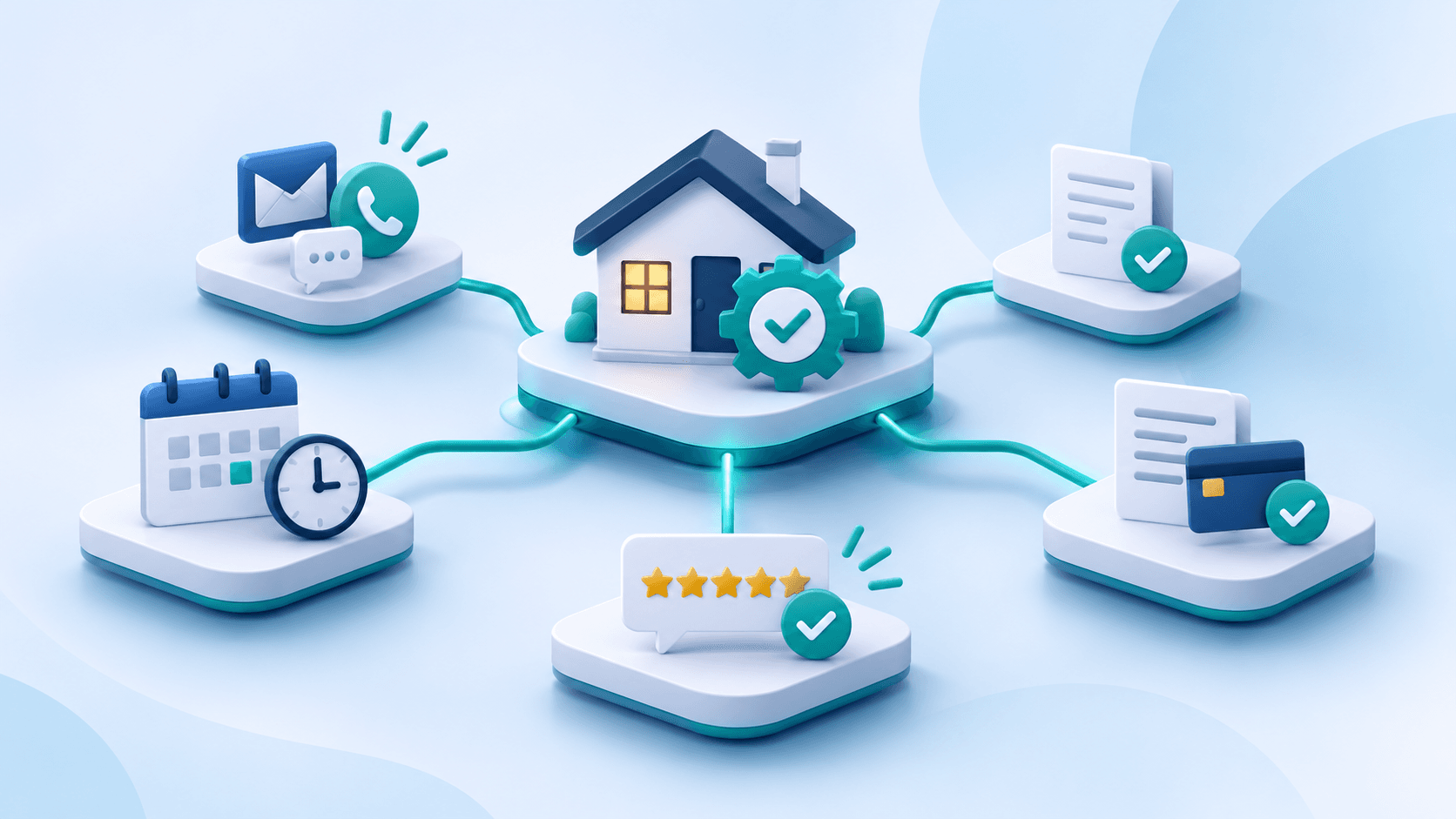
Stop spending evenings on admin. The 5 workflows contractors should automate first: enquiries, quotes, reminders, invoices and review requests.
Most home services owners don't need "AI transformation". They need to stop spending evenings on invoices, chasing quotes and typing the same details into three different apps. This guide covers the five admin workflows a contractor or small service business should automate first, what each looks like in practice, what to leave alone, and how to start without disrupting the business.
Why automation matters more for small trade businesses
In a small home services company, the owner is often the salesperson, estimator, scheduler, bookkeeper and technician. The work that pays is on the job site. The work that eats the evening is everything around it: answering enquiries, sending quotes, confirming appointments, invoicing, chasing payments and asking for reviews.
None of these tasks is hard. They're just repetitive, easy to forget, and they pile up during busy seasons. Automation means letting software do the repetitive parts reliably, so you and your team only handle the parts that need a person.
Before you automate: write down how the job flows today
Take a sheet of paper and follow one typical job from the first call to the final payment. Write down every step: who does it, which app or notebook it lives in, and where things get stuck or forgotten. Most owners find the same thing: the same customer details get typed in several times, and follow-ups depend on someone remembering.
The steps that are repetitive, rule-based and frequently forgotten are your best automation candidates.
Workflow 1: New enquiries go straight into one place
Enquiries arrive by phone, website forms, Facebook messages, Google and email. When they're scattered, some get missed.
Automate it so every enquiry, wherever it comes from, lands in one list or job management system with the customer's name, contact details, address and description of the job, and you get an instant alert. Add an automatic reply so the customer knows you received it and when to expect a response.
Workflow 2: Quotes that go out faster and get followed up
Slow quotes lose jobs. Many owners write quotes at night from scratch.
Set up quote templates for your common jobs, with standard line items and prices you can adjust. Then automate the follow-up: if a quote hasn't been accepted after a few days, a polite reminder goes out, and if there's still no answer, you get a prompt to call. Following up consistently is one of the simplest ways to win more of the work you already quote.
Workflow 3: Booking confirmations and reminders
No-shows and "I forgot you were coming" cost a technician's morning. Automatic confirmations when a job is booked, a reminder the day before, and an "on our way" text with an arrival window cut down wasted trips and calls asking when you'll arrive. Customers also see you as more organised than the competition, which matters when they're deciding who to call next time.
Workflow 4: Invoicing and payment reminders
When a job is marked complete, the invoice should go out automatically with a link to pay online. If it's not paid by the due date, friendly reminders go out on a schedule. Payments then sync to your accounting software instead of being typed in by hand.
This is often the workflow that gives owners the most time back and improves cash flow, because invoices stop sitting in a "to do" pile.
Workflow 5: Review requests after every job
Google reviews are one of the strongest drivers of new calls for local businesses. Most happy customers will leave a review if asked at the right moment and given a direct link. Automate a short message after each completed job asking how it went and, if they're happy, linking straight to your Google review page. Make sure it goes to every customer rather than only the ones you remember.
What not to automate
Don't automate the parts where your judgment and personal touch win jobs. That usually includes quotes for complex or high-value work, handling complaints and unhappy customers, conversations with long-term clients, and anything involving safety decisions. Automation should free up time for these conversations, not replace them.
Automate the reminders, the paperwork and the follow-ups. Keep the conversations that win and keep customers.
Where AI fits in (and where it doesn't)
Most of the workflows above don't need AI at all. They're simple rules: when this happens, do that. AI becomes useful where the input is messy and needs to be understood, such as reading a long enquiry and pulling out the address, job type and urgency, drafting a reply to a customer message for you to approve, summarising a phone call into job notes, or answering common questions on your website at any hour.
Start with simple rule-based automation. Add AI where you have a specific, repeated task that involves reading or writing.
How to start without disrupting the business
Pick one workflow, not five. Choose the one that costs you the most time or the most jobs right now.
Use the tools you already have where possible. Many job management, accounting and booking tools have automation features that owners never switch on.
Run it alongside your current process for a couple of weeks and check every automated message before trusting it fully.
Measure the result in plain terms: hours saved per week, quotes accepted, reviews received, invoices paid on time.
Then move to the next workflow.
Questions to ask before paying for automation
Does it work with the software I already use, or do I have to switch everything?
Who fixes it if something breaks?
Can I see and change the messages that go to my customers?
What does it cost per month as the business grows?
Do I own the setup, or am I locked in to one provider?
How Malvora approaches workflow automation
We start by mapping how a job moves through your business today, then pick the one or two workflows that will give you the most time back. We connect the tools you already use wherever possible, write customer messages in your voice, and make sure you can see and adjust everything. Fixed scope, fixed price, and the setup is yours.
Frequently asked questions
Do I need expensive software to automate my business?
Usually not. Many tools that small service businesses already pay for include automation features, and connecting them often costs less than replacing them.
Will automation make my business feel impersonal?
Not if it's done well. Customers notice fast confirmations and clear reminders as good service. Keep personal conversations for the moments that matter, like quotes, problems and loyal customers.
How much time can automation save?
It depends on your business and how much admin you do by hand today. Measure the hours spent on enquiries, quotes, scheduling and invoicing for a week before you start, so you can see the real difference.
What's the first thing a small contractor should automate?
Whatever is costing you the most right now. For many, it's quote follow-ups or invoicing and payment reminders, because they directly affect revenue.
Spending your evenings on admin? Book a Free Call. We'll find the workflow that will give you the most hours back and tell you what it takes to automate it.
Every insight here comes from real projects. If something resonates with a challenge you’re facing, tell us about it on a free 30-minute call, whether you run a business or are building a product.
Want this applied to your project?
Running a business or building a product? Book a free 30-minute call. Fixed quote after.
More insights